The Plugins Marketplace is the official public repository of Vvveb plugins.
It provides a collection of free and premium plugins that you can browse, preview, and install directly from your admin dashboard.
Plugins extend your site with new features, integrations, and enhancements that are not included in the Vvveb core.
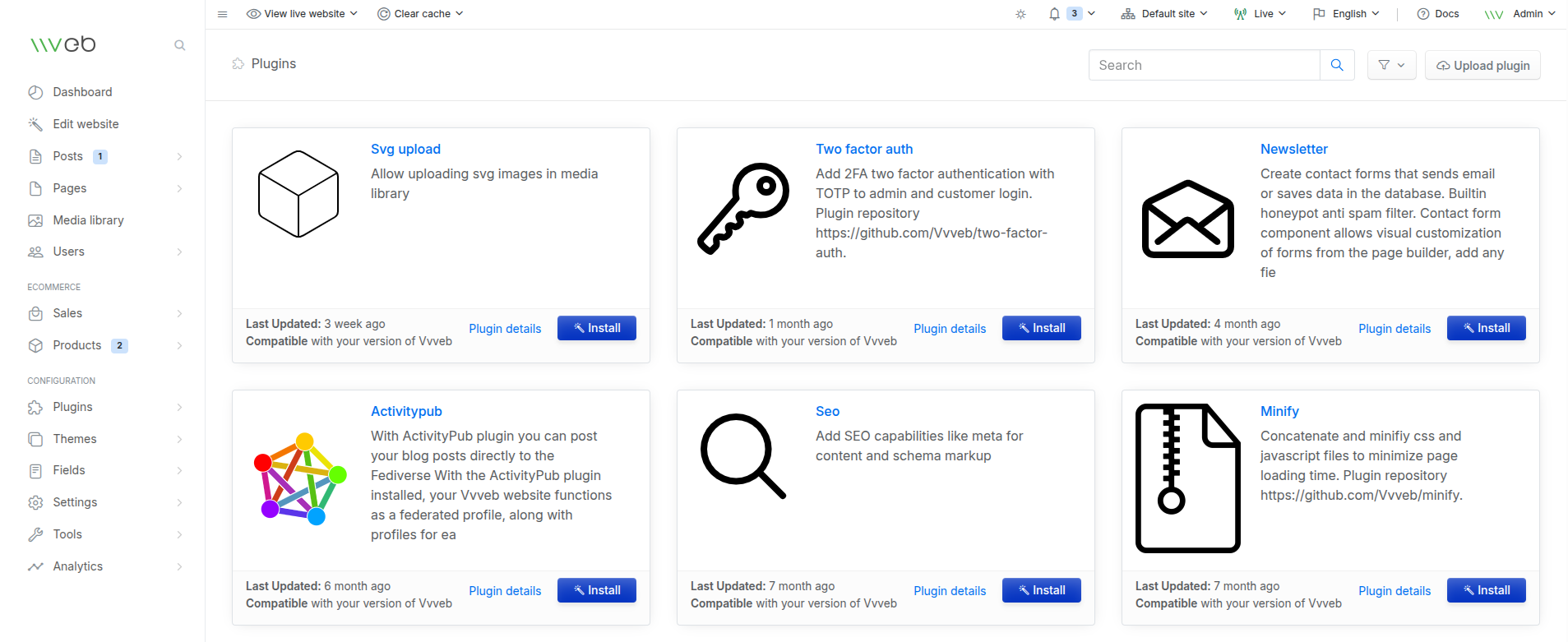
What You Can Do in the Marketplace
From the marketplace, you can:
- Browse available plugins
- View plugin descriptions and compatibility information
- Check when each plugin was last updated
- Install plugins with a single click
- Open plugin detail pages for more information
All plugins listed in the marketplace are compatible with your current Vvveb version.
Accessing the Marketplace
You can open the Plugins Marketplace directly from your admin panel:
Admin Dashboard → Plugins → Add New
This will display all available plugins that you can install.
Installing a Plugin
To install a plugin from the marketplace:
- Browse or search for a plugin
- Click Install After installation, activate the plugin from the Plugins page
Installed plugins can be activated, deactivated, configured, or removed at any time.
Why Use Marketplace Plugins
Marketplace plugins allow you to:
- Add payment methods
- Improve SEO
- Add security features like 2FA
- Integrate external services
- Add forms, newsletters, and widgets
- Enhance ecommerce functionality
- Improve performance (e.g., minification, caching)
They make your Vvveb site more powerful and customizable.