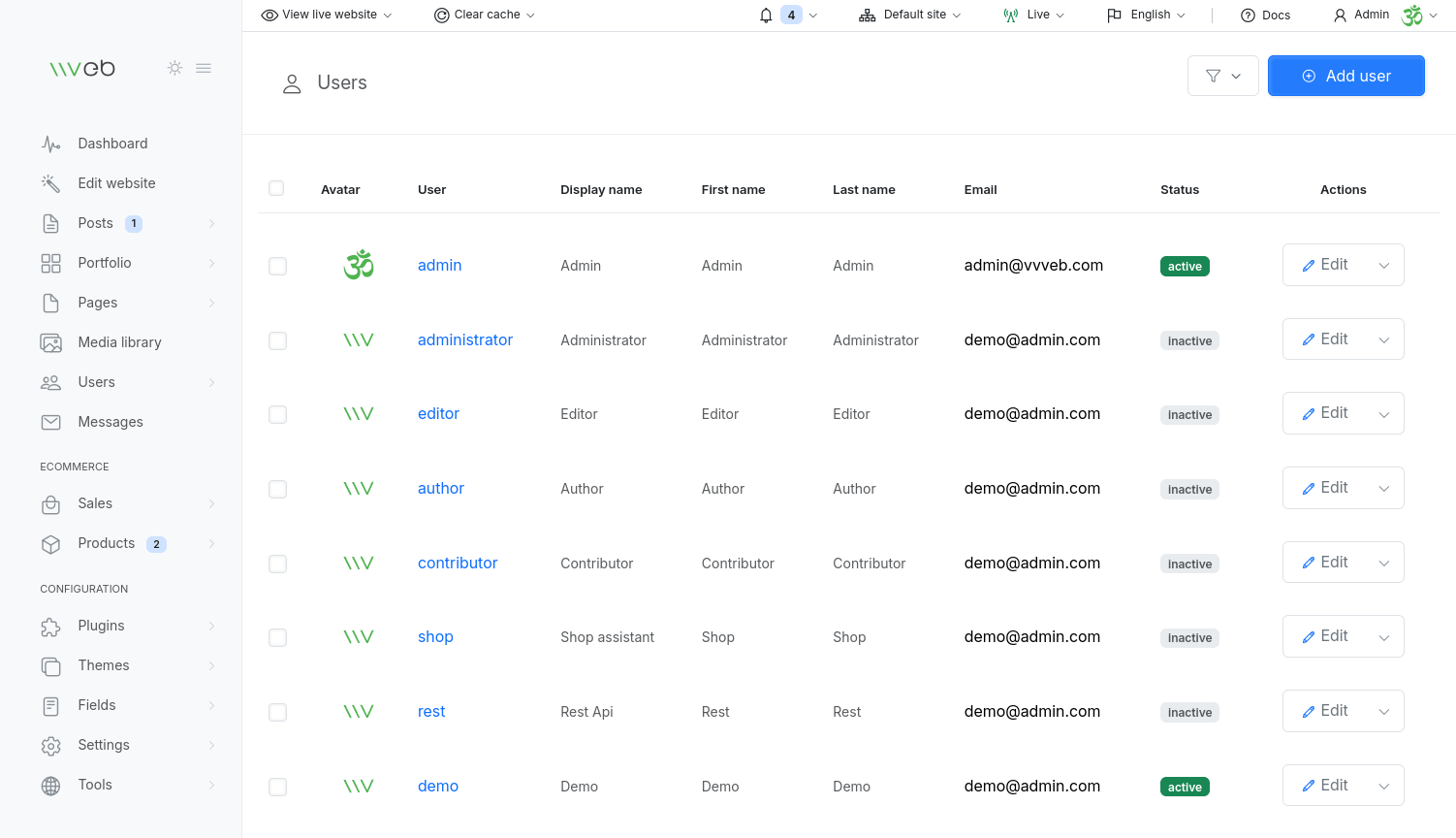
Admin users are the accounts that can log in to the Vvveb CMS dashboard and manage your website. Each user’s access is controlled by the role assigned to them, which determines what actions they are allowed to perform.
What Admin Users Can Do
Depending on their role, admin users can:
- Manage content (posts, pages, media)
- Edit the website using the visual builder
- Configure settings, plugins, themes, and tools
- Manage ecommerce (products, orders, customers)
- Access developer tools like GraphQL and OpenAPI
- Administer other users (if permitted)
This makes it easy to collaborate with teams, clients, or contributors while keeping your site secure.
Roles & Permissions
Every admin user is assigned a role, which defines their permissions. Examples include:
- Super Administrator – full access to everything
- Administrator – manage most site features
- Editor – manage content
- Author – write and edit their own posts
- Custom Roles – created from the Roles & Permissions section
Roles ensure that users only access the parts of the CMS they need.
Managing Admin Users
From the Users section in the admin panel, you can:
- Add new admin accounts
- Edit existing users
- Change roles and permissions
- Update profile information
- Reset passwords
- Enable or disable accounts
This is especially useful for multi‑author blogs, agencies, or multi‑site setups.
Multi‑Site Access
If you are running multiple sites from one Vvveb installation, you can control which sites each user can manage:
- All Sites – full access
- Specific Sites – restrict access to selected sites only
This helps keep teams organized and prevents accidental changes across sites.
Security Tips
- Assign the Super Administrator role only to trusted users
- Use strong passwords for all admin accounts
- Disable or delete unused accounts
- Limit site access for multi‑site environments
If you want, I can also help you create:
- A Roles & Permissions documentation page
- A User Management Best Practices guide
- A Team Collaboration Workflow guide for Vvveb