The Admin User page allows you to manage your personal profile, update your account information, and control access permissions within Vvveb CMS. This is where you customize your identity inside the admin panel and configure what you can access across one or multiple sites.
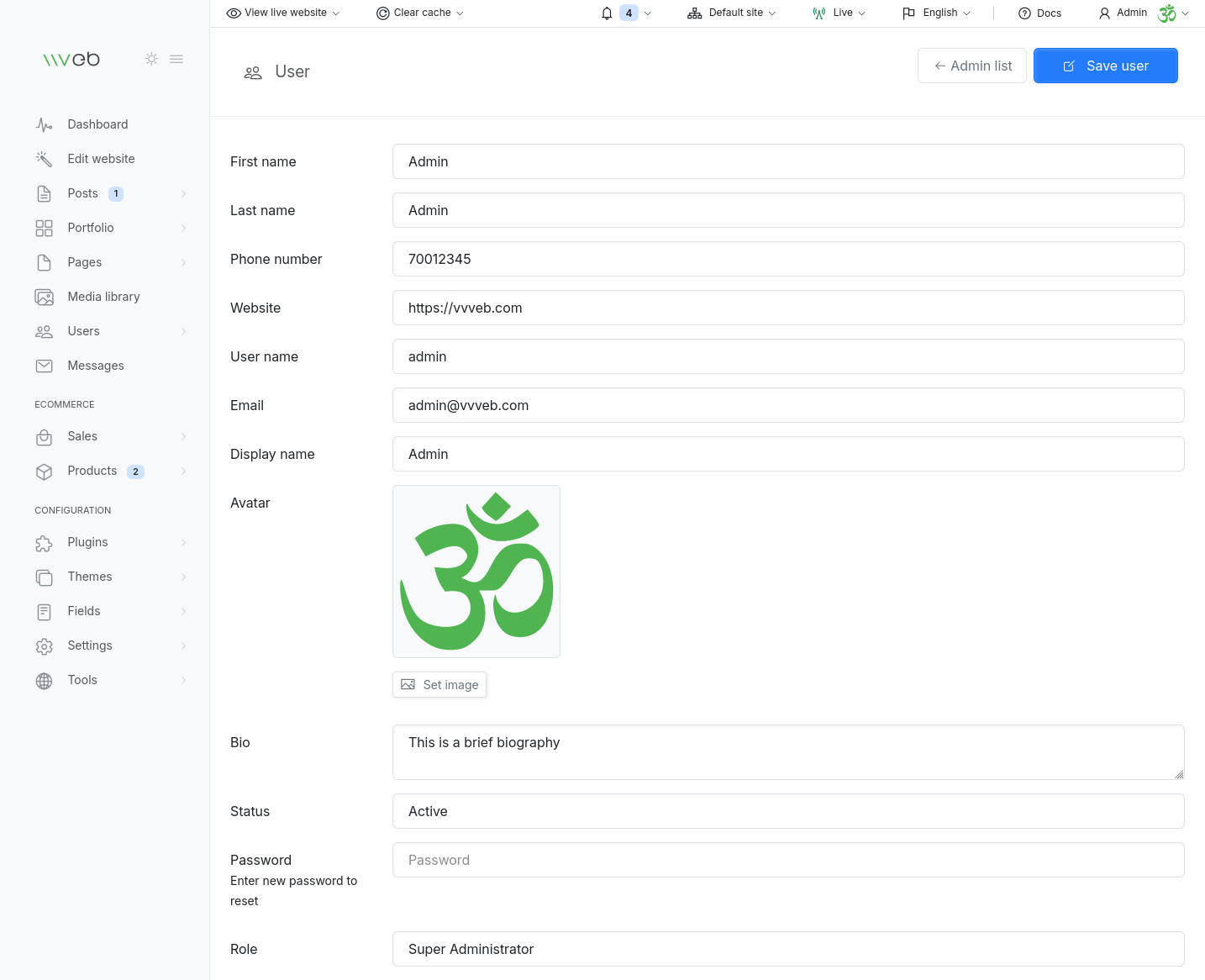
Profile Information
You can update your basic account details:
- Username - used for logging in
- First & Last Name - displayed in admin and author fields
- Email - used for notifications and password recovery
- Public Email - shown publicly if enabled
- Phone Number - optional contact information
- Website - your personal or company URL
- Display Name - how your name appears across the site
These fields help personalize your account and improve author attribution across posts, pages, and ecommerce content.
Avatar & Cover Image
Customize your profile visually:
- Avatar - shown in comments, posts, and admin areas
- Cover Image - displayed on your public author page
You can upload new images at any time.
Bio
Add a short biography or description.
This appears on your author page and can include formatted text, links, and embeds.
Role & Permissions
Your Role determines what you can access inside the CMS.
Examples include:
- Super Administrator - full access to all features
- Editor - content‑focused permissions
- Author - can write and manage their own posts
- Custom Roles - created from the Roles & Permissions section
Changing a user’s role updates their permissions instantly.
Site Access (Multi‑Site)
If you are running multiple sites from one Vvveb installation, you can control which sites each admin can manage:
- All Sites - full access
- Specific Sites - restrict access to selected sites only
This is essential for agencies, multi‑brand setups, or large organizations.
Password Management
You can update your password directly from this page.
Use a strong password to keep your account secure.