Admin roles define what each user can access and manage inside the Vvveb dashboard. A role groups permissions together, making it easy to control access for multiple users at once.
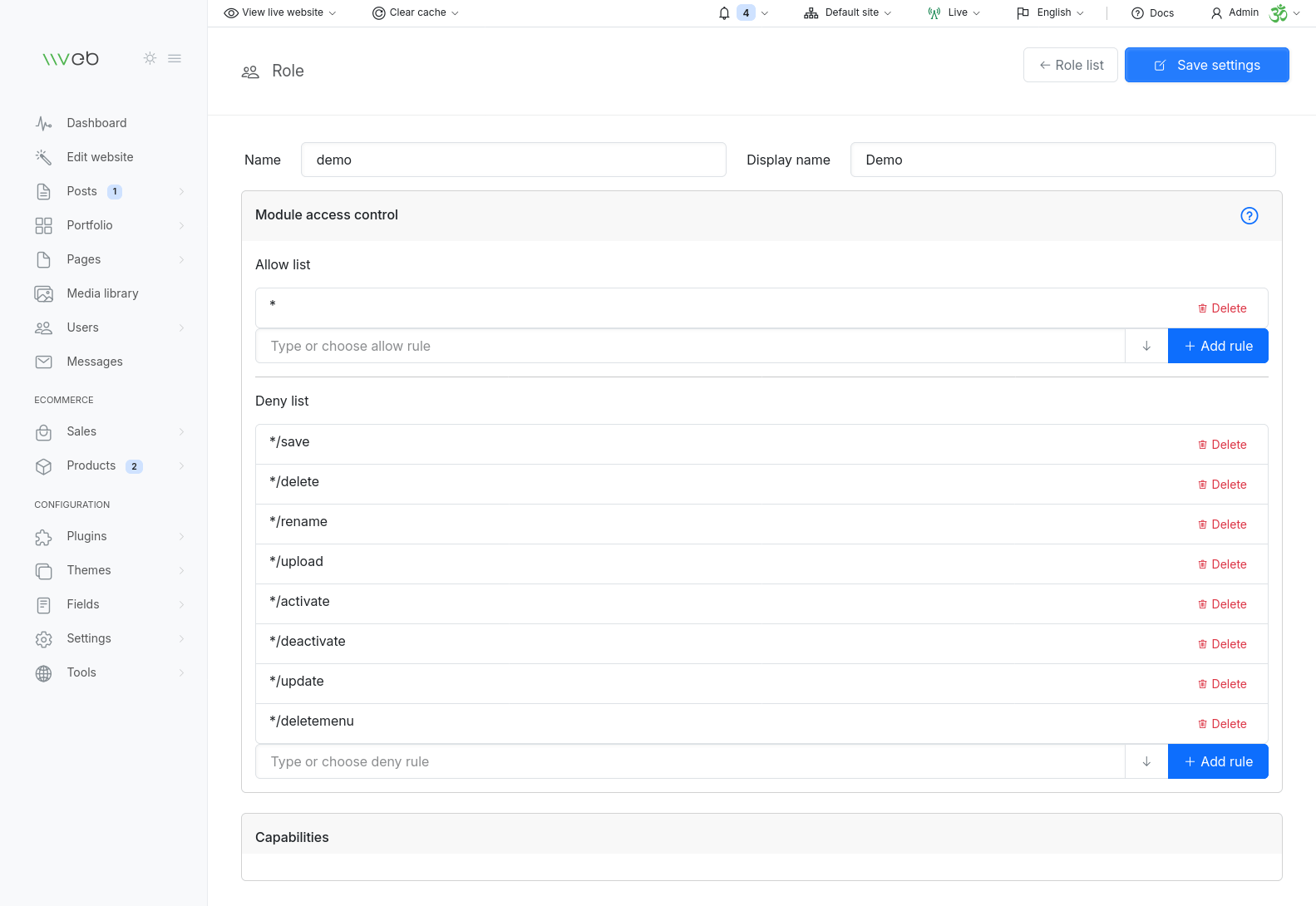
Permissions are based on module paths, which correspond to the sections and actions inside the admin panel. Each role contains two rule lists:
- Allow list - explicitly grants access
- Deny list - restricts or overrides access
Vvveb checks the allow list first, then applies deny rules to limit or block specific actions.
Understanding Module Paths
Every admin page or action has a module path.
For example:
- Posts list:
content/posts - Post editor:
content/posts/edit - Product list:
product/list - Plugin settings:
plugins/contact-form
You can see the module path directly in the URL when navigating the admin panel.
Allowing or Denying Access
To control access:
- Add a module path to the allow list to grant permission
- Add a module path to the deny list to block permission
This gives you fine‑grained control over what each role can do.
Using Wildcards
Wildcards (*) let you apply rules to entire groups of modules or actions.
Examples
Allow access to all content modules
content/*
This covers posts, pages, categories, menus, and more.
Deny delete actions for all content modules
content/*/delete
Users can still view and edit content, but cannot delete anything.
Deny delete actions globally
*/delete
Blocks delete actions across the entire admin panel.
Allow access to all plugin settings
plugins/*
Allow or deny access to a specific plugin
plugins/contact-form
How Allow and Deny Rules Interact
Vvveb processes rules in this order:
- Allow list - grants access
- Deny list - restricts or overrides access
This means you can allow broad access, then selectively block sensitive areas.
Example
Allow full access to products:
product/*
Then deny delete and category management:
product/*/delete
product/categories
This gives users access to products and orders, but prevents them from deleting items or modifying categories.
Practical Use Cases
Content‑only roles
Allow:
content/*
editor/*
media/*
Deny:
content/*/delete
Ecommerce manager
Allow:
product/*
order/*
Deny:
settings/*
tools/*
Restricted demo account
Allow:
content/*
product/*
Deny:
*/save
*/delete
settings/*
tools/*
Summary
Admin roles give you powerful control over who can access what inside Vvveb.
Using allow/deny rules and wildcards, you can build roles tailored to:
- Editors
- Authors
- Ecommerce managers
- Developers
- Demo users
- API integrations
This ensures your site stays secure while giving each team member exactly the access they need.